VXDIAG has officially released the Benz Truck License – BENZCV, designed for use with VXDIAG VCX SE Benz and Allscanner VCX DoIP Benz C6 devices.
To enable truck diagnostics, users must install the Benz Truck Driver and ensure their device is updated to the latest firmware and license version.
Latest Version Information
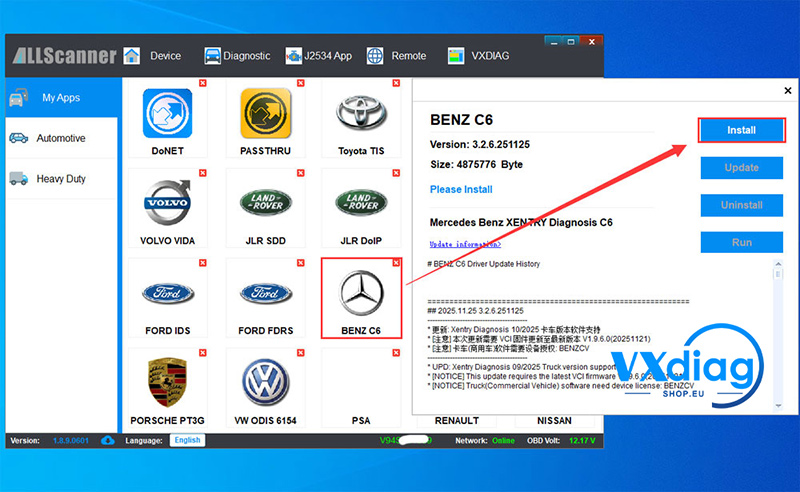
Benz Software Version: 2025.11.25 (V3.2.6.251125)
Supported Xentry Version: Xentry Diagnosis 09/2025 Truck Edition
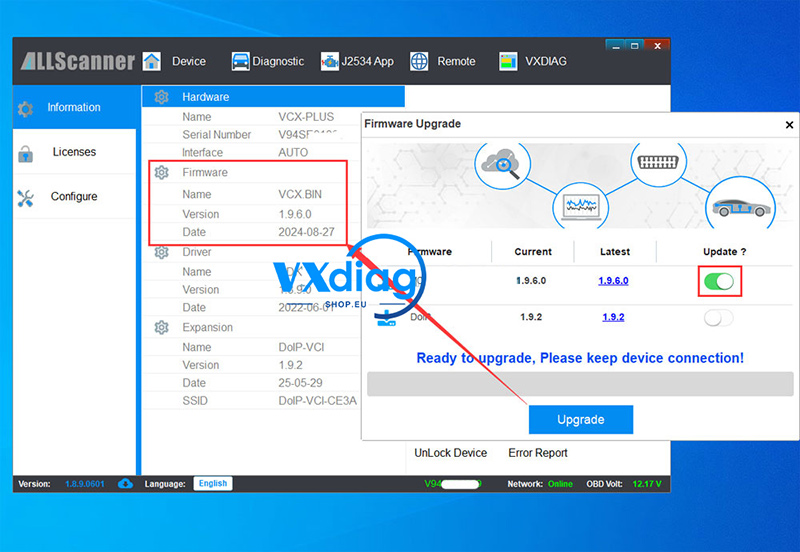
Required VCI Firmware: V1.9.6.0 (20251121)
Required License: BENZCV Truck License
VXDIAG will soon release a dual-system software, allowing quick switching between passenger car and truck diagnostics.
1. How to Activate the VXDIAG BenzCV Truck License
For New Users
Your device will come with the BENZCV license pre-activated. No extra steps required.
For Existing Users
Simply provide your VCX device serial number to your dealer.
Your BENZCV license will be activated for FREE.
2. How to Update the VXDIAG Benz Truck Driver
To ensure proper truck diagnostic capability, follow the steps below.
Step 1 – Update the VCI Firmware
Make sure your device is running the mandatory firmware: V1.9.6.0 (20251121).
Step 2 – Update the VCI License
Check and confirm that the BENZCV license is installed and active on your device.
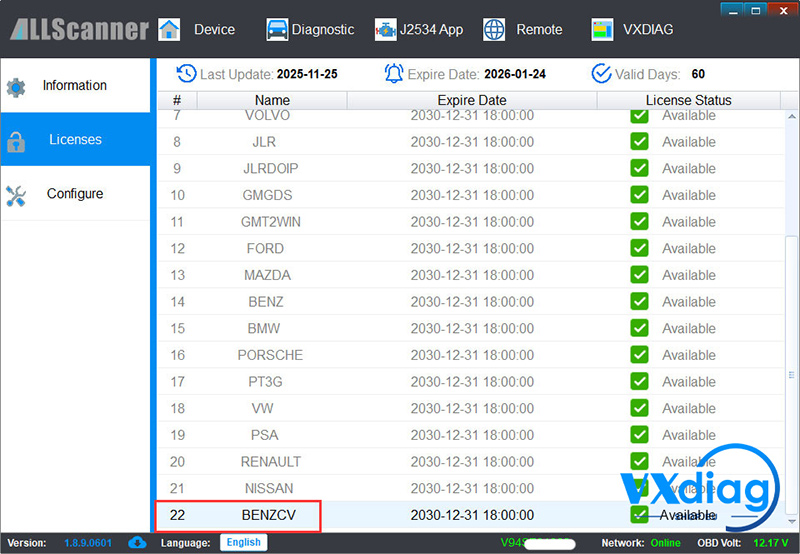
Step 3 – Update the Benz C6 License
The device will automatically switch modes depending on the software you launch:
XENTRY Truck software: Automatically switches to C6 Truck Edition
XENTRY Passenger Car software: Automatically switches to C6 Standard Edition
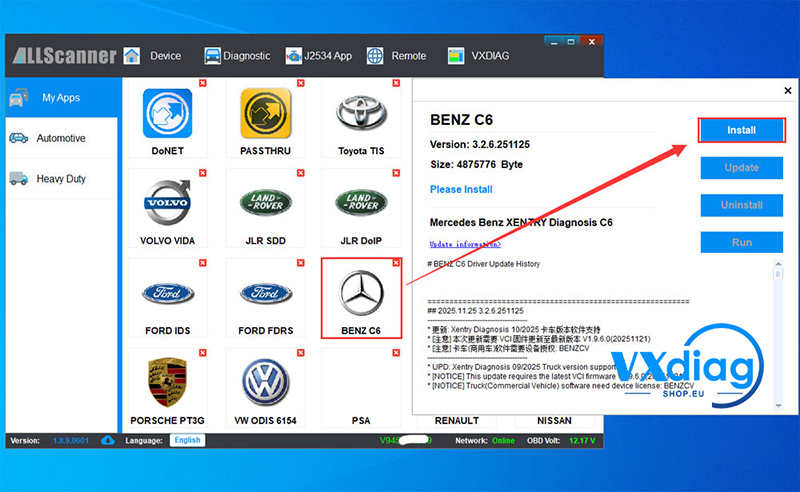
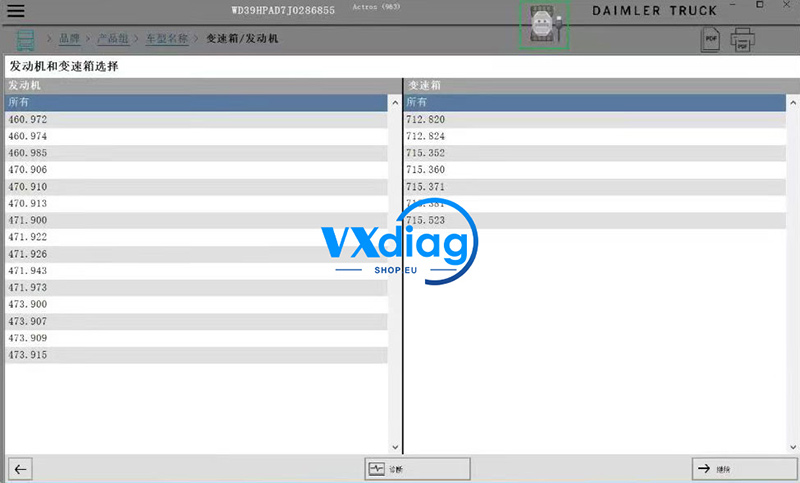
3. Start Using Xentry Truck Diagnostics
Once the firmware, license, and driver updates are complete, launch your Xentry Truck software to begin diagnostics.
For more tools, updates, and support, visit:
www.vxdiagshop.eu