
Question:
How can I change the region settings in Vxdiag VCX SE for Toyota Techstream?
Answer:
Changing the region in Toyota Techstream is simple and only takes a few steps.
Steps to Change the Region
1. Open the Toyota Techstream software.
2. Click Techstream Configuration.
3. Locate the Region/Area settings.
4. Select the desired region from the available options.
5. Save the settings and restart Techstream if required.
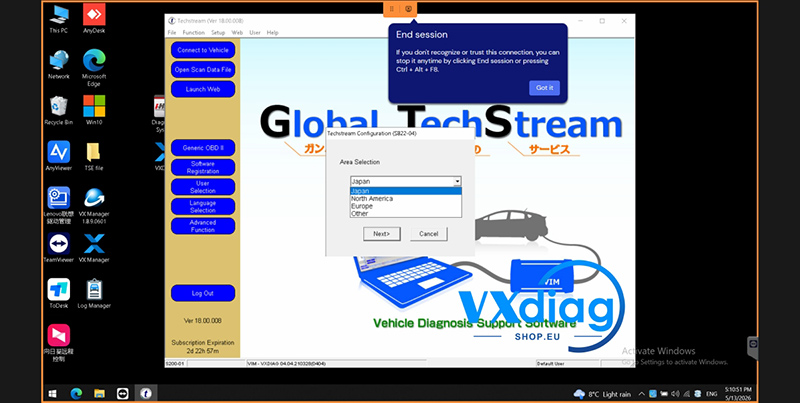
After changing the region, Techstream will load the corresponding vehicle database and settings for the selected market.
If you experience any issues while changing the region, please contact our technical support team for assistance.
For more technical guides and support, visit:
www.vxdiagshop.eu